
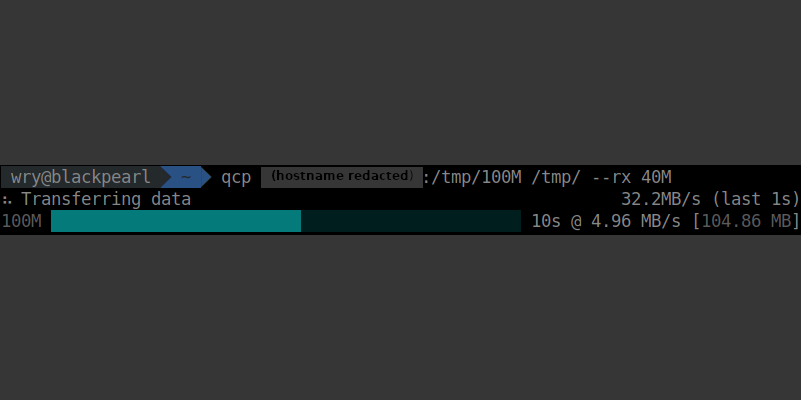
qcp, the QUIC copier
The QUIC Copier (qcp) is an experimental high-performance remote file copy utility for long-distance internet connections.
Source repository: https://github.com/crazyscot/qcp
Features
- 🔧 Drop-in replacement for `scp`
- 🛡️ Similar security to `scp`, using existing, well-known mechanisms
- 🚀 Better throughput on congested networks
📖 About qcp
qcp is a hybrid protocol combining ssh and QUIC.
We use ssh to establish a control channel to the target machine, then spin up the QUIC protocol to transfer data.
This has the following useful properties:
- User authentication is handled entirely by ssh
- Data is transmitted over UDP, avoiding known issues with TCP over "long, fat pipe" connections
- Data in transit is protected by TLS using ephemeral keys
- The security mechanisms all use existing, well-known cryptographic algorithms
For full documentation refer to qcp on docs.rs.
Motivation
I needed to copy multiple large (3+ GB) files from a server in Europe to my home in New Zealand.
I’ve got nothing against ssh or scp. They’re brilliant. I’ve been using them since the 1990s. However they run on top of TCP, which does not perform very well when the network is congested. With a fast fibre internet connection, a long round-trip time and noticeable packet loss, I was right in the sour spot. TCP did its thing and slowed down, but when the congestion cleared it was very slow to get back up to speed.
If you’ve ever been frustrated by download performance from distant websites, you might have been experiencing this same issue. Friends with satellite (pre-Starlink) internet connections seem to be particularly badly affected.
Results
Typical results (updated in July 2025) for a 1GB download from Europe to New Zealand. Both endpoints have nominal 1Gbit connectivity (server in a data centre, client on residential 1Gb fibre).
| Time | Throughput | |
| qcp (this tool) | 16s | 66.7MB/s |
| scp | 147s | 6.9MB/s |
The Internet is a complex system of systems; your mileage may vary.
💻 Getting qcp
You can install it:
- as a package from the release archive;
- as a Rust binary crate, with
cargo install --locked qcp(you will need to have the rust toolchain installed); - by cloning and building the qcp source repository.
You will need to install qcp on both machines. Please refer to the README for more.
References
RFC9000 "QUIC: A UDP-Based Multiplexed and Secure Transport"
Permalink